Leggi questa guida in italiano
How to pack a TV and other screens for a move
The TV travels wrapped and on its own, its small parts in a box: what to read in the manual, how to wrap it and where to put it in the van.
The TV is the last thing you unplug. You watch it until the night before, and on moving day it is still there, on the wall or on the TV unit, with four cables behind it and a stand screwed to the bottom. You have no box that fits it, the remote has slipped down between the sofa cushions, and someone asks whether they can carry it on their own.
On a flat screen the fragile part is the panel, and it is also the biggest part. Nearly everything below is about not pressing on it, from the moment you unplug it to the moment you switch it on in the new home.
The manual comes before the screws
Find the manual for your TV. If the paper copy is gone, you can find it on the maker's website using the model name, which is on a label on the back. Read the section on moving or handling before you touch a single screw, because it answers three questions for your model, not for TVs in general:
- whether it must travel upright or can lie flat;
- whether it takes two people to lift;
- where you can hold it, and where you must not.
If the manual says two people, it means two, even if the TV feels light. With a wide screen, a person lifting it alone ends up grabbing it wherever they can, and that may be the panel.
Then, before you unplug the cables, take a photo of the back. The moving checklist says so too: the set-top box, the soundbar and the games console all use sockets that look the same.
Wrapping it without pressing on the panel
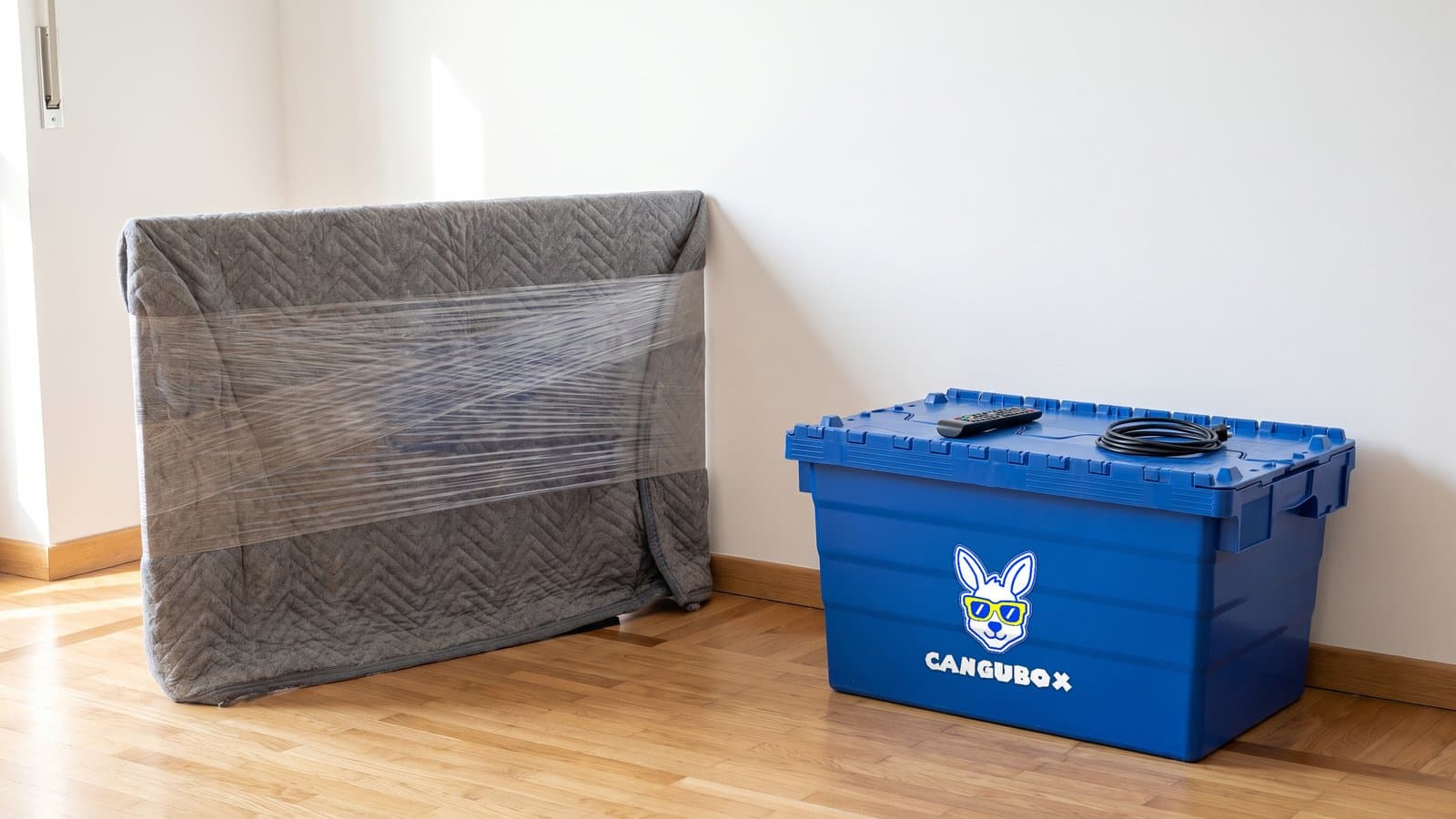
If you still have the original packaging, with its moulded inserts, put the TV back in it: it was made for that model. If you no longer have it, you need a blanket or an old duvet, some stretch wrap and ten minutes.
Take the stand off first, if it is screwed on. Without it, the TV wraps like a rectangle and stands upright against a wall.
- Dust the screen with a soft, dry cloth. A speck of grit left under the blanket and rubbed for the whole journey can scratch it.
- Lay the blanket over the front, wrap it right round the TV and close it at the back.
- The stretch wrap goes over the blanket, never straight onto the screen, and not pulled tight: it is there to hold the blanket in place, not to squeeze it.
- Add a second layer on the corners, such as a folded towel. The corners are what hit the door frames when you turn in a hallway.
- No sticky tape on the screen or the frame. If you need tape, it goes on the blanket.
A computer monitor gets the same treatment on a smaller scale: stand off, cloth over the front, blanket round it. Laptops and tablets, by contrast, are not wrapped and put aside: they travel with you, in the bag you keep on you, with their chargers. The reason is in what never to put in a moving box: they hold documents and photos you cannot buy again.
The remote, the screws and the bracket
The parts that go missing are the ones around the TV: the screws for the stand, the stand itself, the remote, the power adapter if it is a separate one, the aerial cable, and, if the screen was on the wall, the bracket and its screws too.
Gather them as you take them off, not later. The screws go in a resealable bag, and on the bag you write where they came from. But a bag on its own is small, and it ends up at the bottom of whatever box was nearest.
So it makes sense for everything to travel in one place: a box just for the screen and its parts, with a tag that says so. The Cangubox measures 60 × 40 × 36 cm on the outside: if your TV is wider than 60 centimetres, it stays out and travels wrapped, but the cables, the remote, the power adapter and the bag of screws all go in, and the stand too if it fits. The lid closes without tape, so on moving day you can open the box again for the last cable you unplug, without cutting tape or having to add more.
If the TV was on the wall, decide first what to do about the holes. You will need the bracket in the new home, but the wall plugs stay behind in the old walls. If you are renting, ask the landlord how they want them dealt with: handing back the flat explains why.
In the van, and before you switch it on
In the van the TV travels the way the manual says. If it says upright, it stays upright for the whole journey, with its back against a side of the van or a tall piece of furniture, and a strap holding it in place. The screen faces something soft, like a mattress or the back of the sofa, and never a sharp corner. Nothing goes on top of it, not even a light box.
The boxes, on the other hand, go in stacked. A full, closed Cangubox can take another box on top of it: the stacks stand up on their own, and none of them needs to lean on the TV.
In the new home it stays wrapped, against a wall and out of the way, until you know where it goes. If it travelled in the cold, open the manual again before you switch it on, as some makers ask you to wait until it has warmed up to room temperature, because of condensation. Then you reconnect it using the photo of the cables, and the remote is where you put it, in the box with the tag.
So, three steps: the manual before the screws, the blanket before the wrap, and all the small parts in one box.